

About the Project
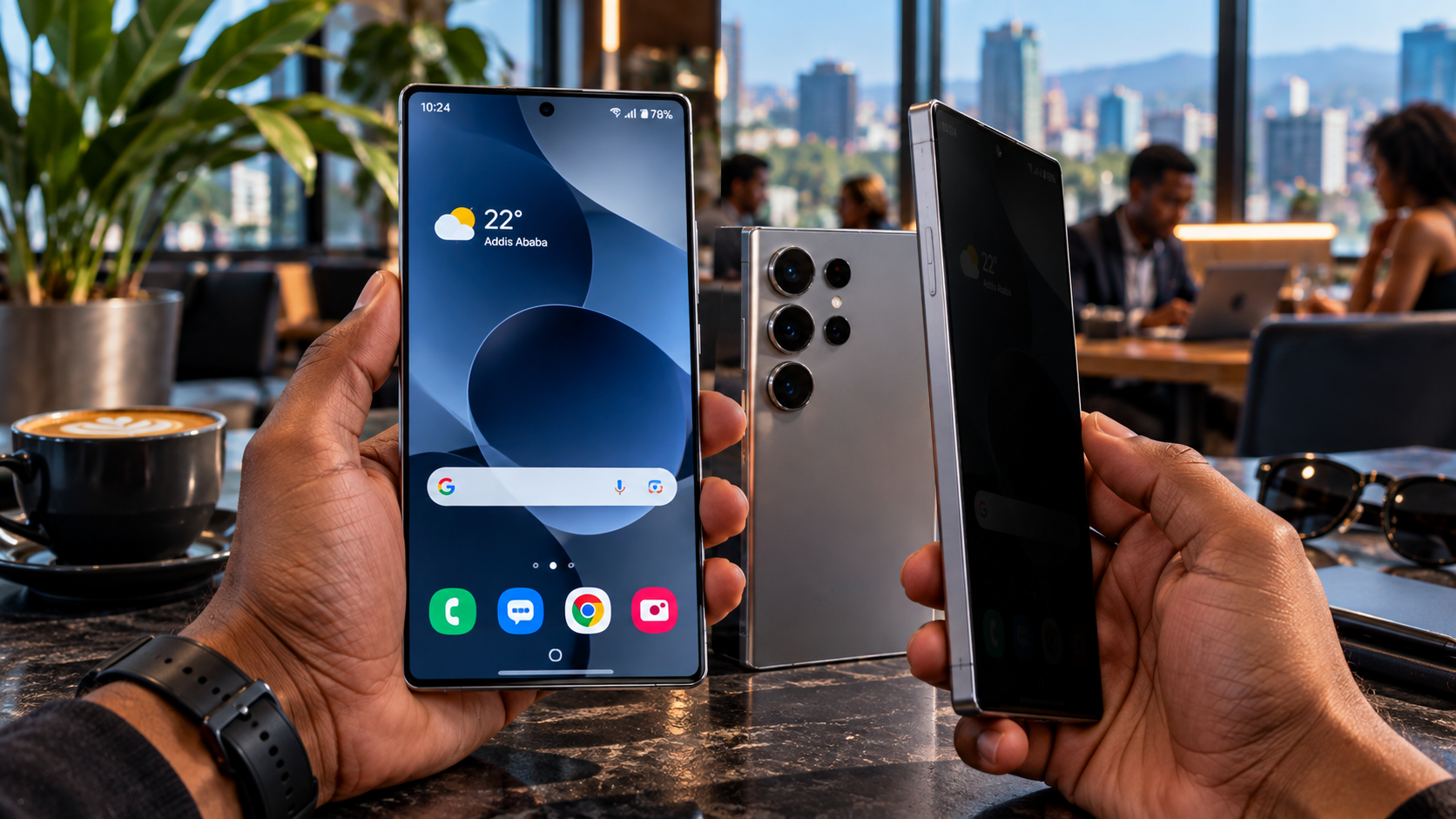
Imagine sitting in a café, traveling on public transportation or checking your banking application while someone beside you tries to look at your phone.
What if your screen could remain clear to you while becoming difficult for others to read from the side?
This is the technology behind Samsung Galaxy S26 Ultra's built-in Privacy Display.
In this technology review, I explored how Samsung has integrated privacy protection directly into smartphone display hardware, changing the way people can protect sensitive information in public spaces.
What Makes Privacy Display Different?
Traditional privacy screen protectors use an additional layer placed over a smartphone's display.
They typically limit viewing angles all the time, even when the user wants to share their screen with someone else.
The Galaxy S26 Ultra takes a different approach.
Samsung's Privacy Display is built into the screen itself. When activated, it controls how light is emitted from the display's pixels, making the screen significantly harder to read from the side while preserving visibility from the front.
When privacy protection is not needed, users can turn the feature off.
How the Technology Works
The system uses Samsung's Flex Magic Pixel technology to control the direction of light coming from the display.
In normal viewing mode, content can be seen from multiple angles.
When Privacy Display is enabled, the viewing angle becomes more restricted, reducing how much information nearby people can see.
The feature can be activated manually through the Quick Panel or customized in the phone's display settings.
Privacy That Adapts to What You're Doing
One of the most interesting aspects of the Galaxy S26 Ultra is that privacy protection does not always need to apply to the entire screen.
Users can configure Privacy Display to activate automatically for supported applications, when entering passwords or when receiving notification pop-ups.
For example, someone may want additional privacy while accessing a banking app or entering a device password.
The feature can also apply protection to notification content without obscuring the entire display.
This makes privacy protection more flexible than a conventional screen protector.
The Creative Approach
For this project, I focused on making the technology easy to understand through a relatable everyday situation.
Most smartphone users have experienced someone looking at their screen in a public space.
By connecting that familiar experience to Samsung's new display technology, the content introduces a feature that viewers can immediately understand.
The goal was to explain not only what Privacy Display does, but also why it could be useful.
Does It Guarantee Complete Privacy?
Privacy Display reduces visibility from side viewing angles, but it does not make sensitive information completely invisible in every situation.
Screen brightness, viewing angle and environmental lighting can affect how well the feature works.
Maximum Privacy Protection provides stronger shielding but may also slightly affect screen brightness, colors or clarity.
For that reason, the technology should be viewed as an additional privacy tool rather than a replacement for responsible handling of sensitive information.
Why This Project Matters
Smartphone innovation is not always about higher camera resolution or faster processors.
Sometimes, an important improvement is something that makes everyday technology more personal, secure and convenient.
Through this Galaxy S26 Ultra review, I wanted to help Ethiopian audiences understand how modern display technology is evolving and how practical innovations can improve the smartphone experience.
The future of smartphone displays isn't only about what you can see. It's also about controlling who else can see it.